Login to Platform: Difference between revisions
Jump to navigation
Jump to search
No edit summary |
|||
| (4 intermediate revisions by the same user not shown) | |||
| Line 6: | Line 6: | ||
= For New Users = | = For New Users = | ||
<gallery widths="500px" heights="250px"> | <gallery widths="500px" heights="250px"> | ||
File: NCPeH_LandingPage_version1.png | Figure 2. | File: NCPeH_LandingPage_version1.png | Figure 2.1: Login page. | ||
</gallery> | </gallery> | ||
Within the "Registry", users are required to install a digital certificate on their computer. | |||
Detailed instructions for installing the digital certificate can be found on the page"[[Digital Certificate | Digital Certificate]] ". | |||
= Existing Users = | = Existing Users = | ||
[[Two-Factor Authentication | How to enable Two-Factor Authentication]] | [[Two-Factor Authentication | How to enable Two-Factor Authentication]] | ||
Latest revision as of 07:41, 24 July 2025
The homepage provides clear guidance for both new and existing users..
- New Users: Please follow the three predefined steps to successfully complete the login process and access the Electronic Cross-Border Health Services.
- Existing Users: Simply log in to your account to continue using the services without interruption.
For New Users
-
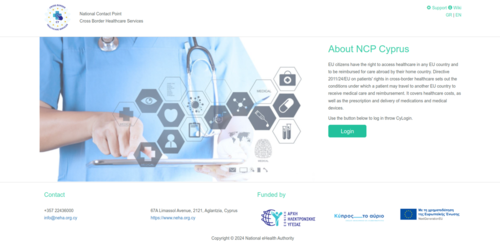
Figure 2.1: Login page.

Within the "Registry", users are required to install a digital certificate on their computer. Detailed instructions for installing the digital certificate can be found on the page" Digital Certificate ".
Existing Users
How to enable Two-Factor Authentication
-
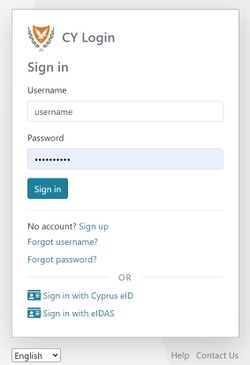
Figure 2.8: CY Login page. Enter your credentials.
-
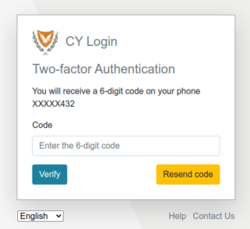
Figure 2.9: Mobile Two Factor Authentication.
-
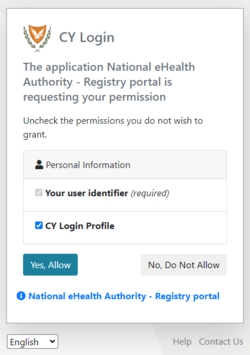
Figure 2.10: CY Login page. Personal Information Consent.


-
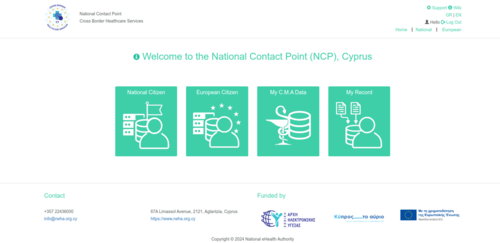
Figure 2.11: NCPeH Platform Home Page.
