NCP Platform: Difference between revisions
Mchris44ucy (talk | contribs) No edit summary |
Mchris44ucy (talk | contribs) No edit summary |
||
| (One intermediate revision by the same user not shown) | |||
| Line 8: | Line 8: | ||
<gallery widths="500px" heights="350px"> | <gallery widths="500px" heights="350px"> | ||
File:Portal Home (EN).png | Figure 1.0: Central Portal of the National Contact Point for eHealth. | File: Portal Home (EN).png | Figure 1.0: Central Portal of the National Contact Point for eHealth. | ||
</gallery> | </gallery> | ||
| Line 14: | Line 14: | ||
<gallery widths="500px" heights="350px"> | <gallery widths="500px" heights="350px"> | ||
File:Portal Home Select New Provider (EN).png | Figure 1.1: Selecting “New Providers Registration”. | File: Portal Home Select New Provider (EN).png | Figure 1.1: Selecting “New Providers Registration”. | ||
File:Step One (EN).png | Figure 1.2: Instructions for Creating a “CY Login” Account. | File: Step One (EN).png | Figure 1.2: Instructions for Creating a “CY Login” Account. | ||
File:Step Two (EN).png | Figure 1.3: Access Management – “User Roles” & “Digital Certificate Issuance” | File: Step Two (EN).png | Figure 1.3: Access Management – “User Roles” & “Digital Certificate Issuance” | ||
</gallery> | </gallery> | ||
| Line 25: | Line 25: | ||
<gallery widths="500px" heights="350px"> | <gallery widths="500px" heights="350px"> | ||
File:Portal Home Select Providers Portal (EN).png | Figure 1.4: Selecting “Providers’ Portal”. | File: Portal Home Select Providers Portal (EN).png | Figure 1.4: Selecting “Providers’ Portal”. | ||
File:Select Certificate (EN).png | Figure 1.5: Selecting a Digital Certificate. | File: Select Certificate (EN).png | Figure 1.5: Selecting a Digital Certificate. | ||
File:Login Providers Portal (EN).png | Figure 1.6: Provider Portal Login Screen. | File: Login Providers Portal (EN).png | Figure 1.6: Provider Portal Login Screen. | ||
</gallery> | </gallery> | ||
| Line 36: | Line 36: | ||
<gallery widths="500px" heights="350px"> | <gallery widths="500px" heights="350px"> | ||
File: Portal Home Select Beneficiary (EN).png | Figure 1.7: Selecting “Beneficiaries Portal” | |||
File: Login Patient Portal (EN).png | Figure 1.8: Beneficiary Portal Login Screen | |||
</gallery> | </gallery> | ||
Latest revision as of 11:13, 20 October 2025
Redirection Links of the National Contact Point Platform
Central Portal of the National Contact Point for eHealth
-
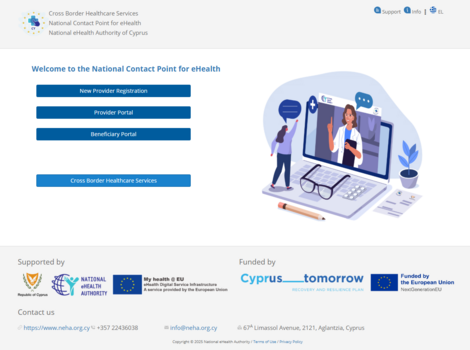
Figure 1.0: Central Portal of the National Contact Point for eHealth.
.png)
New Providers Registration
-
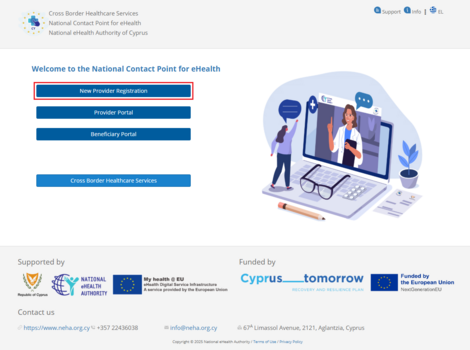
Figure 1.1: Selecting “New Providers Registration”.
-
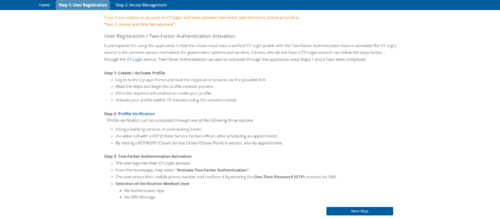
Figure 1.2: Instructions for Creating a “CY Login” Account.
-
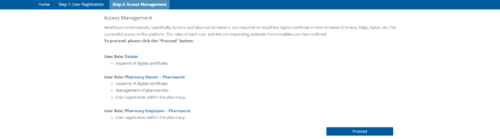
Figure 1.3: Access Management – “User Roles” & “Digital Certificate Issuance”
.png)
.png)
.png)
Providers Portal
-
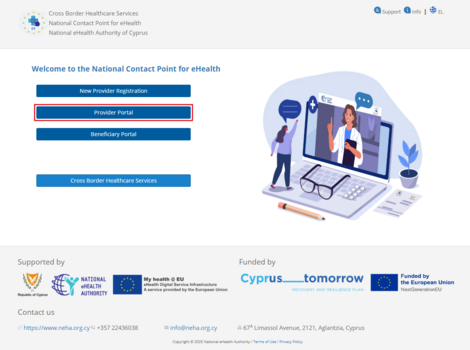
Figure 1.4: Selecting “Providers’ Portal”.
-
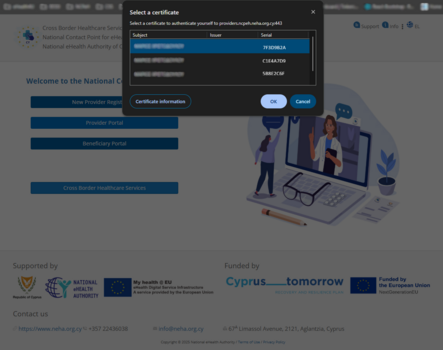
Figure 1.5: Selecting a Digital Certificate.
-
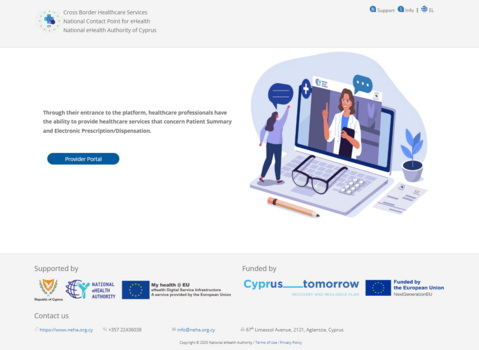
Figure 1.6: Provider Portal Login Screen.
.png)
.png)
.png)
Beneficiary Portal
-
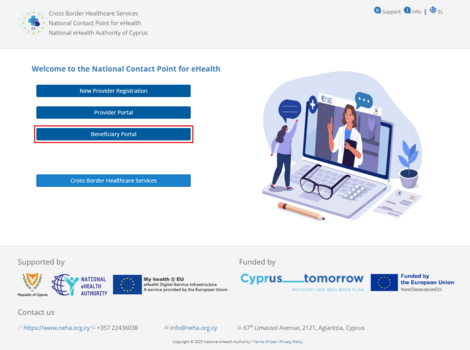
Figure 1.7: Selecting “Beneficiaries Portal”
-
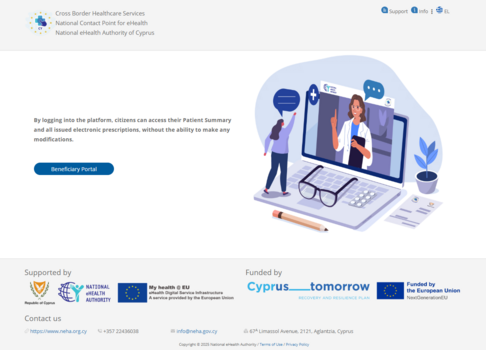
Figure 1.8: Beneficiary Portal Login Screen
.png)
.png)
Cross Border Healthcare Services
MyHealth@EU is a European Union initiative focused on Cross-Border eHealth Services. Its aim is to facilitate access to and the secure exchange of medical data among member states, enabling citizens to receive the necessary healthcare when traveling or temporarily residing in another EU country.