Login to Platform: Difference between revisions
Jump to navigation
Jump to search
No edit summary |
No edit summary |
||
| Line 1: | Line 1: | ||
The homepage provides clear guidance for both new and existing users.. | |||
* New Users: Please follow the three predefined steps to successfully complete the login process and access the Electronic Cross-Border Health Services. | |||
* Existing Users: Simply log in to your account to continue using the services without interruption. | |||
= The user (Physician or Pharmacist) = | = The user (Physician or Pharmacist) = | ||
Revision as of 06:40, 24 July 2025
The homepage provides clear guidance for both new and existing users..
- New Users: Please follow the three predefined steps to successfully complete the login process and access the Electronic Cross-Border Health Services.
- Existing Users: Simply log in to your account to continue using the services without interruption.
The user (Physician or Pharmacist)
Once the Physician / Pharmacist is certified and authorized to access the system, he/she can search for their patients and monitor/update or retrieve patient summary, the associated medical information and e-Prescription details.
Physicians / Pharmacists are able to perform a search after they enter their username and password via GOV.CY, https://www.gov.cy/.
-
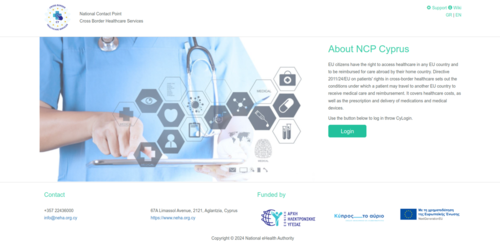
Figure 2.0: Login page.

How to enable Two-Factor Authentication
-
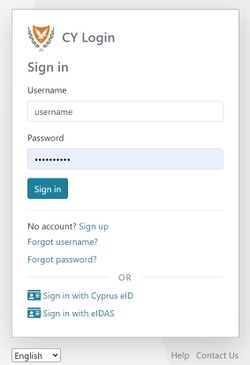
Figure 2.1: CY Login page. Enter your credentials.
-
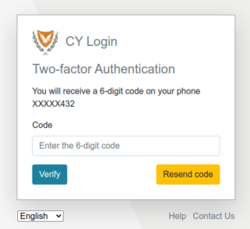
Figure 2.2: Mobile Two Factor Authentication.
-
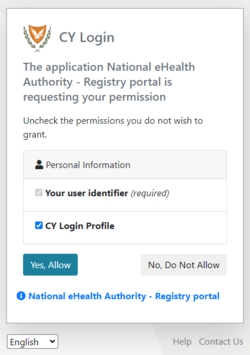
Figure 2.3: CY Login page. Personal Information Consent.


-
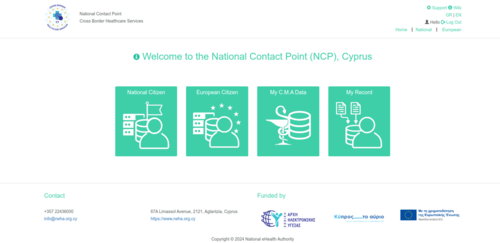
Figure 2.4: NCPeH Platform Home Page.
