Create / Edit Patient Summary
-

Figure 6.6: Selecting the Patient Summary.
-
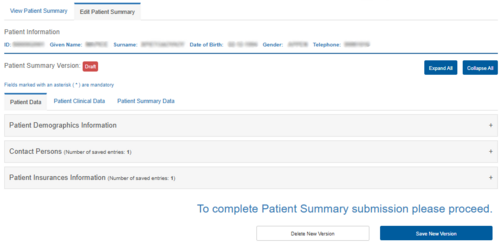
Figure 6.7: Editing the Patient Summary Health Record.
-

Figure 6.8: Physician’s Declaration of Acceptance for the Legal Issuance of the Patient Summary Health Record.
.png)
.png)
.png)
Patient Summary (PS-A)
Saving or Deleting a New Version of the Patient Summary Health Record
Saving a New Version of the Patient Summary Health Record
To save the data of the new version of the Patient Summary Health Record, select the “Save” button. Upon displaying the confirmation message, the Patient Summary Health Record is successfully updated.
-
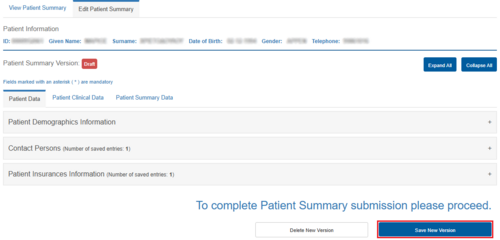
Figure 6.11: Saving a Version of the Patient Summary Health Record.
-
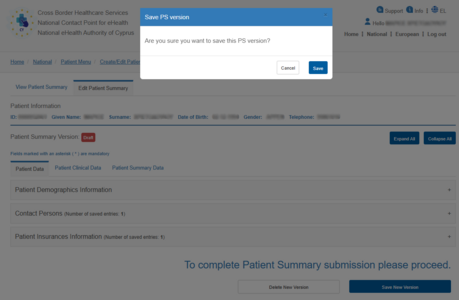
Figure 6.12: Confirmation of the “Save” Action.
.png)
.png)
Deleting a New Version of the Patient Summary Health Record
-
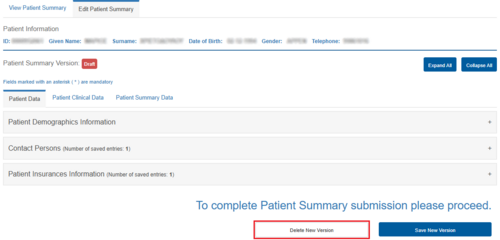
Figure 6.13: Selecting “Delete” to Remove the New Version.
-
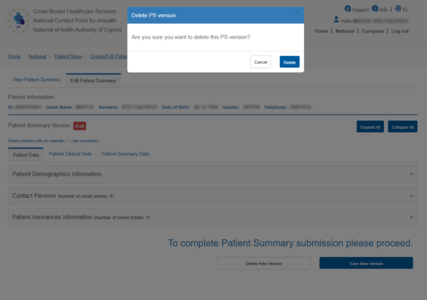
Figure 6.14: Confirmation of the “Delete” Action.
.png)
.png)