My Connections / EU eDispensations
Jump to navigation
Jump to search
-
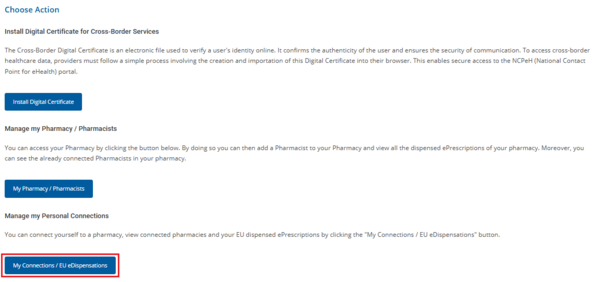
Figure 8.2.0.16: Selection of the “Connect to Pharmacy / EU Dispensed ePrescriptions” Button.
-
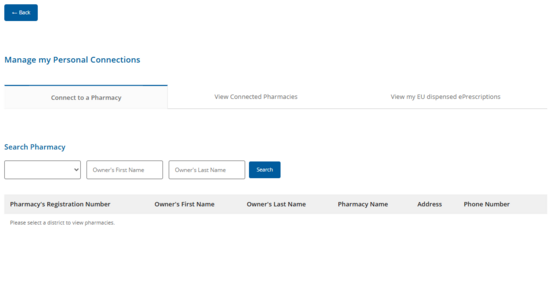
Figure 8.2.0.17: Screen for Pharmacy Registration and Viewing of Cross-Border Dispensed Prescriptions.
.png)
.png)
Connect to a Pharmacy
-
Figure 8.2.0.18: Searching for a Pharmacy in Order to Register the User.
View Connected Pharmacies
-
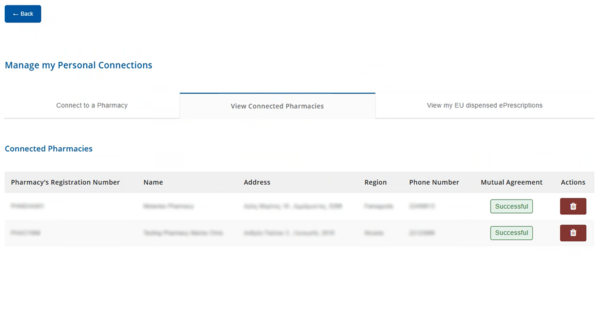
Figure 8.2.0.19: Detailed List of Pharmacies in Which the User Is Registered.
.png)
View my EU dispensed ePrescriptions
-
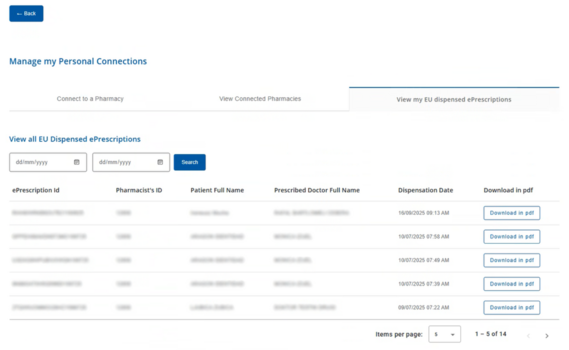
Figure 8.2.0.20: Detailed Table of Cross-Border Prescriptions Executed by the User.
.png)